
Frame-accurate math without spreadsheets
How to keep your timecode conversions precise and fast.
Read more →TimeWeave is a toolkit for creators. Capture screen time, do fast timecode math and durations, and rapidly create bulk clips.

An integrated toolkit that helps you track focus, do frame-accurate math, and automate tasks inside Adobe.

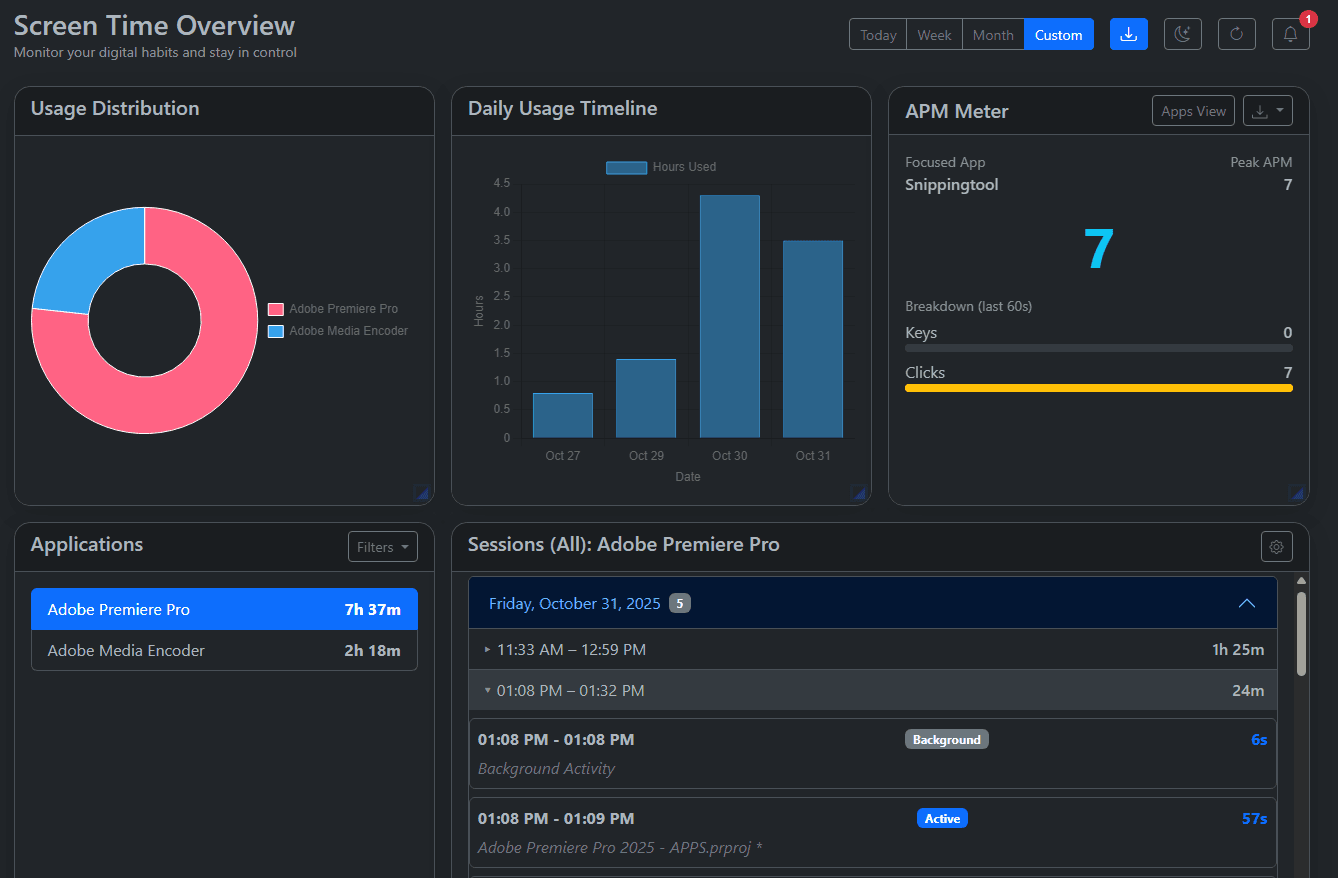
Track focused time by app or project, export logs, and sync with your editing workflow.
Explore Screentime →
Do frame-accurate math with drop/non-drop support. Convert, add, or subtract instantly.
Open Calculator →
Streamline timecode tasks directly inside Adobe tools like Premiere Pro.
View Extension →
Import CSVs, map template variables, and auto‑build timelines in Resolve.
Learn More →Lightweight tracking for Windows. See time by app or project, create daily, weekly, and monthly reports.
Convert between frame rates, add/subtract segments, and keep everything precise with drop and non-drop support.
Install the .zxp extension to perform timecode tasks without leaving Premiere Pro.
Bring Canva-style Bulk Create to DaVinci Resolve. Import a spreadsheet, map variables, and render dozens of assets at once.
Editors rely on TimeWeave to simplify timecode work, eliminate errors, and deliver faster.
“I ship edits faster—TimeWeave keeps timecode math out of my head.”
Alex
“Web calculator + Premiere plugin = zero timecode mistakes.”
Nina
“Screentime gave our team clean logs and real focus data.”
Sam
“Standardized timecode boosted throughput across projects.”
Hendrix
“Handles gnarly conversions and edge cases reliably.”
Taishi
“Polished and fast—feels built for editors.”
Michael
“I ship edits faster—TimeWeave keeps timecode math out of my head.”
Alex
“Web calculator + Premiere plugin = zero timecode mistakes.”
Nina
“Screentime gave our team clean logs and real focus data.”
Sam
“Standardized timecode boosted throughput across projects.”
Hendrix
“Handles gnarly conversions and edge cases reliably.”
Taishi
“Polished and fast—feels built for editors.”
Michael
“Clean exports and faster QC—logging time is cut in half.”
Priya
“Frame math takes seconds, not minutes—no sheets, no errors.”
Diego
“Bulk Create in Resolve saved a full day on deliverables.”
Maya
“Drop‑frame conversions and offsets are handled perfectly.”
Jon
“The polish and speed make routine tasks feel instant.”
Leah
“Everything feels cohesive across web, Premiere, and Resolve.”
Omar
“Clean exports and faster QC—logging time is cut in half.”
Priya
“Frame math takes seconds, not minutes—no sheets, no errors.”
Diego
“Bulk Create in Resolve saved a full day on deliverables.”
Maya
“Drop‑frame conversions and offsets are handled perfectly.”
Jon
“The polish and speed make routine tasks feel instant.”
Leah
“Everything feels cohesive across web, Premiere, and Resolve.”
Omar
Fill out timesheets faster and accurately with ScreenTime, do frame‑precise math with the Timecode Calculator, work inside Premiere Pro with our extension, and auto‑build timelines at scale with Bulk Create for Resolve.
Tips and guides to optimize editing workflows and manage time like a pro.
How to keep your timecode conversions precise and fast.
Read more →Use Screentime to understand where your day really goes.
Read more →A quick guide to installing and updating Adobe extensions.
Read more →